VMware ESXi Dedicated Servers
Power your private cloud with the industry-leading VMware ESXi hypervisor, running on enterprise-grade iRexta dedicated servers. Achieve unparalleled performance, security, and control for your virtual infrastructure.
Power your private cloud with the industry-leading VMware ESXi hypervisor, running on enterprise-grade iRexta dedicated servers. Achieve unparalleled performance, security, and control for your virtual infrastructure.
In today's digital landscape, maximizing hardware efficiency is paramount. When you choose an iRexta dedicated server for virtualization, you're not just buying hardware; you're investing in a platform for performance, control, and scalability. The core of this platform is VMware vSphere, powered by the industry-standard ESXi hypervisor.
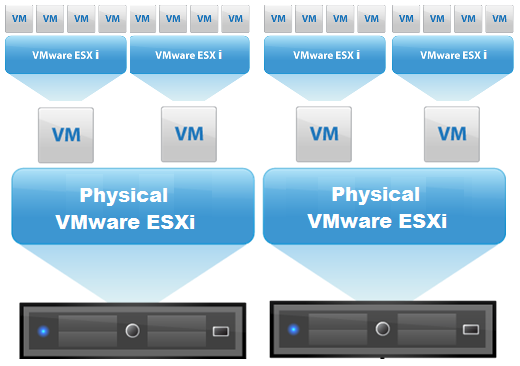
VMware ESXi is a powerful, enterprise-class bare-metal (Type-1) hypervisor. It's a specialized, lightweight operating system that installs directly onto a physical server. Its sole purpose is to partition that server into multiple virtual machines (VMs). Each VM can run its own operating system (like Windows or Linux) and applications in complete isolation, all sharing the resources of the single physical machine. Because there is no underlying OS consuming resources, your VMs run with exceptional performance and stability.
While ESXi is the hypervisor on a single server, VMware vSphere is the entire virtualization platform suite. vSphere includes ESXi and, most importantly, VMware vCenter Server for centralized management. Think of it this way:
The Foundation (Hypervisor)
The software installed on each dedicated server that virtualizes the hardware and runs your virtual machines.
The Central Brain (Manager)
The centralized platform that connects all ESXi hosts, allowing you to manage them as a single, cohesive system.
The Control Panel (Interface)
The web-based interface an administrator uses to connect to vCenter and manage the entire environment.
The VMware Host Client is a modern, HTML5-based web interface built directly into every ESXi host. You can access it by typing the host's IP address into your web browser. It is the primary tool for managing a single, standalone ESXi host, perfect for initial setup, home labs, and non-critical environments.
VMware vCenter Server is the enterprise-grade management platform for a multi-server environment. It's a centralized application that connects all your ESXi hosts, allowing you to manage them as a unified pool of resources (a cluster) and unlock powerful features for high availability and efficiency.
| Feature | VMware Host Client | VMware vCenter Server |
|---|---|---|
| Management Scope | Single ESXi Host | Multiple ESXi Hosts (Cluster) |
| Primary Use Case | SMBs, dev/test labs, single-server deployments | Production environments, data centers, private clouds |
| Key Features | Basic VM operations, host monitoring, simple configuration | vMotion, High Availability (HA), DRS, cloning, templates |
| Scalability | Limited to one server at a time | Essential for scaling to a multi-server infrastructure |
vCenter transforms a group of powerful dedicated servers into a truly resilient and dynamic virtual data center.
Move a running virtual machine from one physical host to another with zero downtime. Essential for performing server maintenance without interrupting users.
Protects against unplanned server failure. If a physical host crashes, HA automatically restarts its VMs on other available hosts in the cluster, minimizing downtime.
Acts as an automated load balancer. DRS continuously monitors resource usage and intelligently moves VMs between hosts to ensure every application gets the performance it needs.
Your ESXi environment is only as reliable as the hardware it runs on. iRexta's dedicated servers provide the enterprise-grade foundation your virtual infrastructure needs to thrive.
Leverage the latest Intel® Xeon® & AMD EPYC™ CPUs for maximum VM density and responsiveness.
We use hardware on VMware's Hardware Compatibility List (HCL) for flawless compatibility and stability.
Your vSphere environment gets 100% dedicated CPU, RAM, and I/O. No "noisy neighbors" impacting performance.
You have full root access to configure ESXi and your virtual environment to meet your exact specifications.
Purchase any dedicated server and our experts will handle the entire ESXi installation for you, completely free. Just open a ticket after your purchase to get started.
Request Free Installation